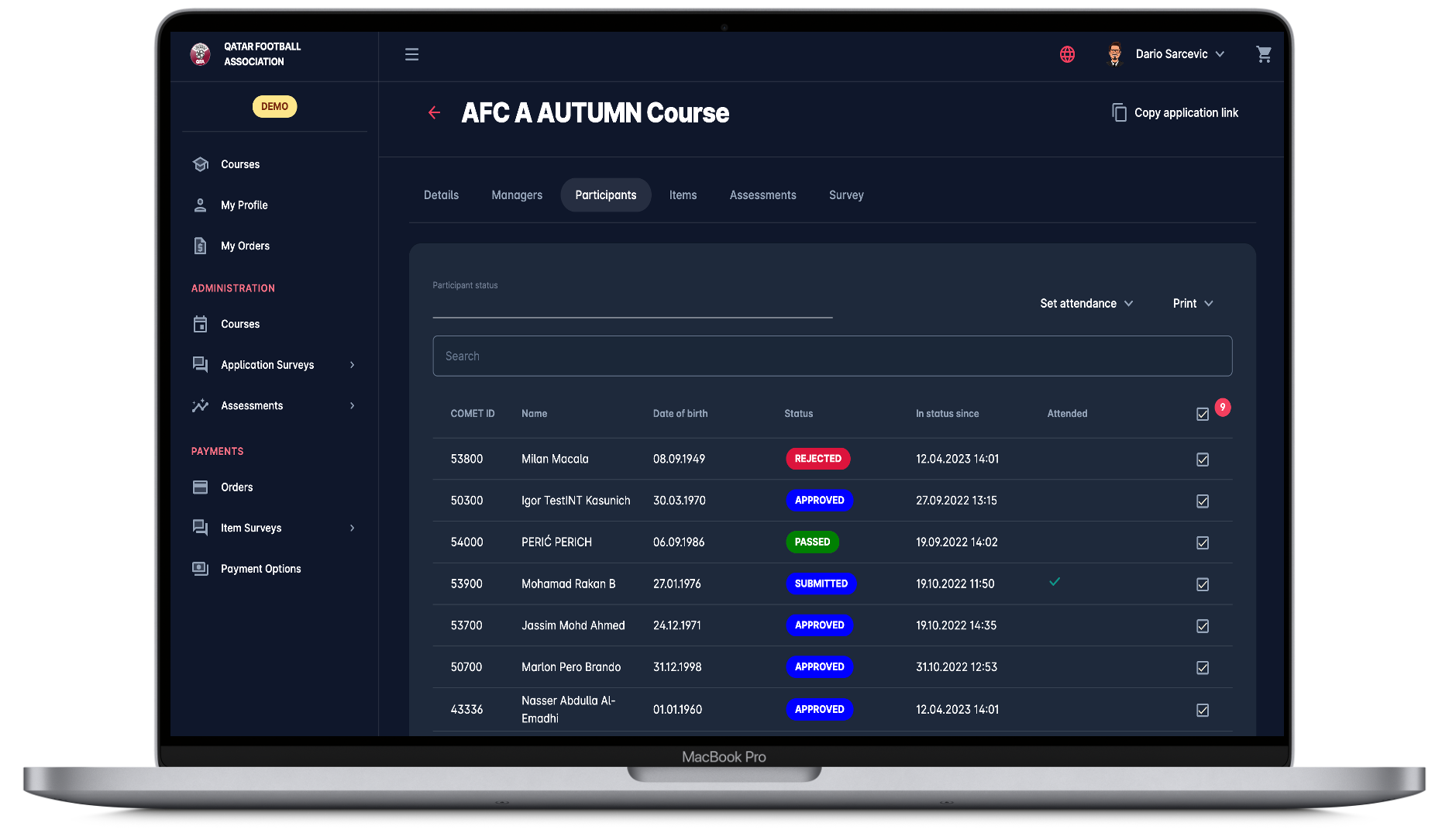
EVENTS (COURSES)
The COMET Event Management Module is a comprehensive solution designed to manage every aspect of sports education and licensing events — from participant registration to final certification. It enables self-registration, online applications, applicant validation, attendance tracking, assessments, and automated license or diploma issuance.
With its intuitive interface and powerful automation tools, COMET streamlines all steps of the event workflow, significantly reducing administrative workload while providing participants with a clear, user-friendly, and transparent application experience.
The system also offers extensive customization and integration capabilities, allowing each organization to adapt the event process to its specific operational needs. Event Administrators, for example, can fully design and manage seminars by defining application workflows, eligibility rules, fees, surveys, and learning resources — all within a single, centralized platform.
From registration and communication to payments, evaluations, and license renewals, the COMET Event Management Module serves as a complete digital backbone for managing educational and qualification events.
1. EVENTS ADMINISTRATION
1.1. Pre-selectable Workflows
All COMET Events imply the self-registration process, i.e., participants can apply and undergo all steps of the application process from their MyCOMET UI. A responsible person authorized to create and edit seminars can choose one of the predefined application types. Application types are designed to cover all scenarios of the application process. These can be configured individually for each event, depending on organizational requirements or payment integration settings:
- Just Pay
- Just Apply
- Just Apply with Approval
- Pay after Approval
- Pay Later
- Manual
This flexibility ensures that any event, from simple registrations to multi-step paid applications, can be efficiently managed.
1.2. License Types
Event Administrators can define various license categories (e.g., UEFA PRO, A, B, C, or national licenses) associated with each course or seminar. The selected license type determines which license will be automatically issued to a participant upon successful completion of the event.
1.3. Event Details
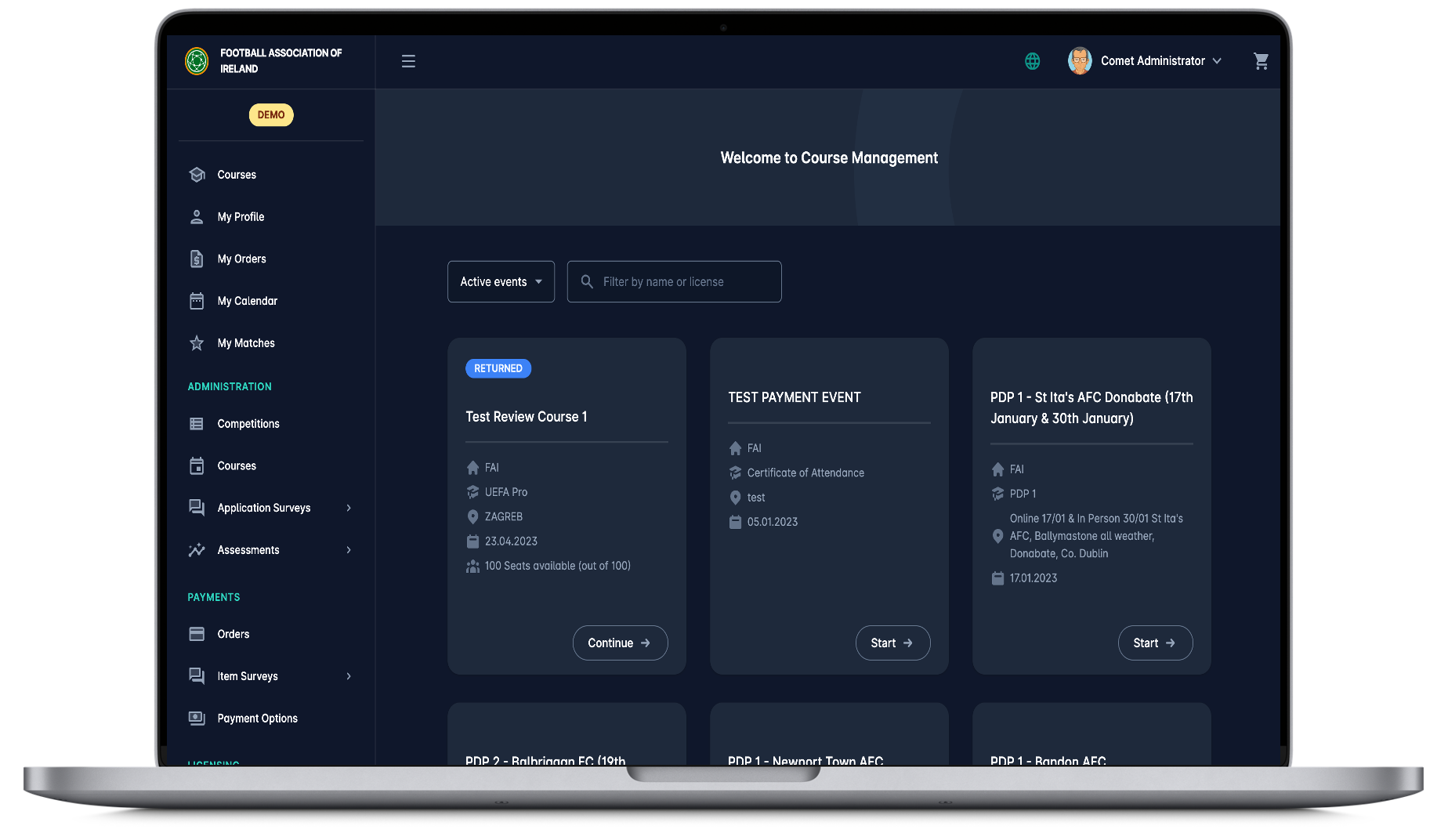
Each event in COMET is defined by a set of core attributes such as organizer, time period, location, and description. In addition to these basic details, administrators can specify supplementary information like duration in hours, maximum number of participants, and other parameters that are used for reporting, validation, and event management purposes.
Beyond the general setup, Event Administrators have full control over the event’s structure and accessibility. They can configure eligibility rules, set application limits, determine privacy settings, and attach resources or custom surveys to collect applicant information and documentation.
1.4. Limitation of Number of Participants
For effective event capacity management, administrators can specify the maximum number of participants allowed per event. Once the limit is reached, the system will automatically block further applications, preventing overbooking and ensuring smooth event execution.
1.5. Event Privacy
For hiding Events from public users, there is a “Privacy” feature that might be used for specific organizational needs of the event, e.g. for seminars that are organized for a closed group of invited Clubs and should not be publicly accessible. Events that are categorized as private are not displayed under the Events menu, i.e., they cannot be searched or accessed without the direct URL.
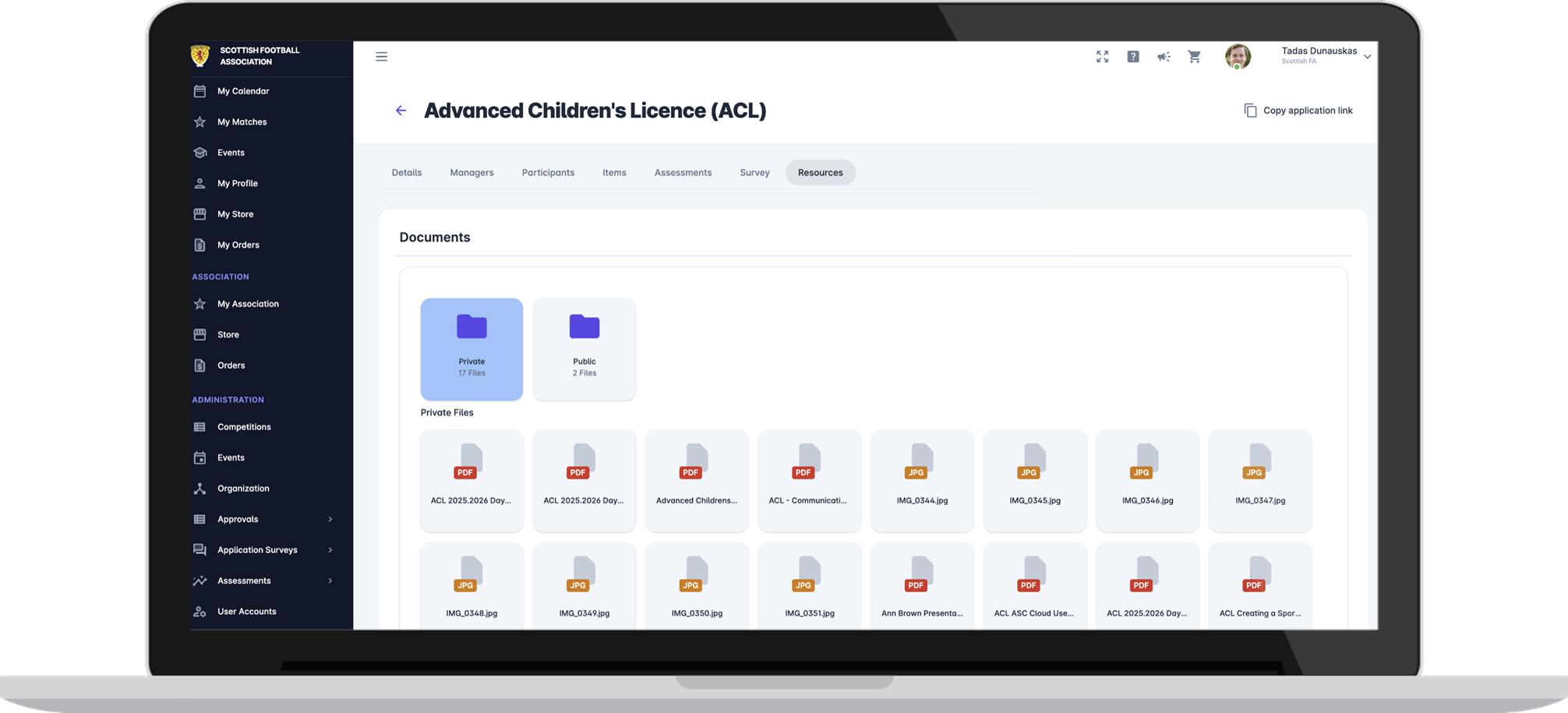
1.6. Event Resources
The Event Resources feature enables administrators to share course materials and learning resources with confirmed participants. Resources may include uploaded documents, rich text content, links to external videos, or other multimedia materials. This allows the event to serve as a comprehensive educational hub accessible directly from the participant’s profile.
1.7. Event Prerequisites
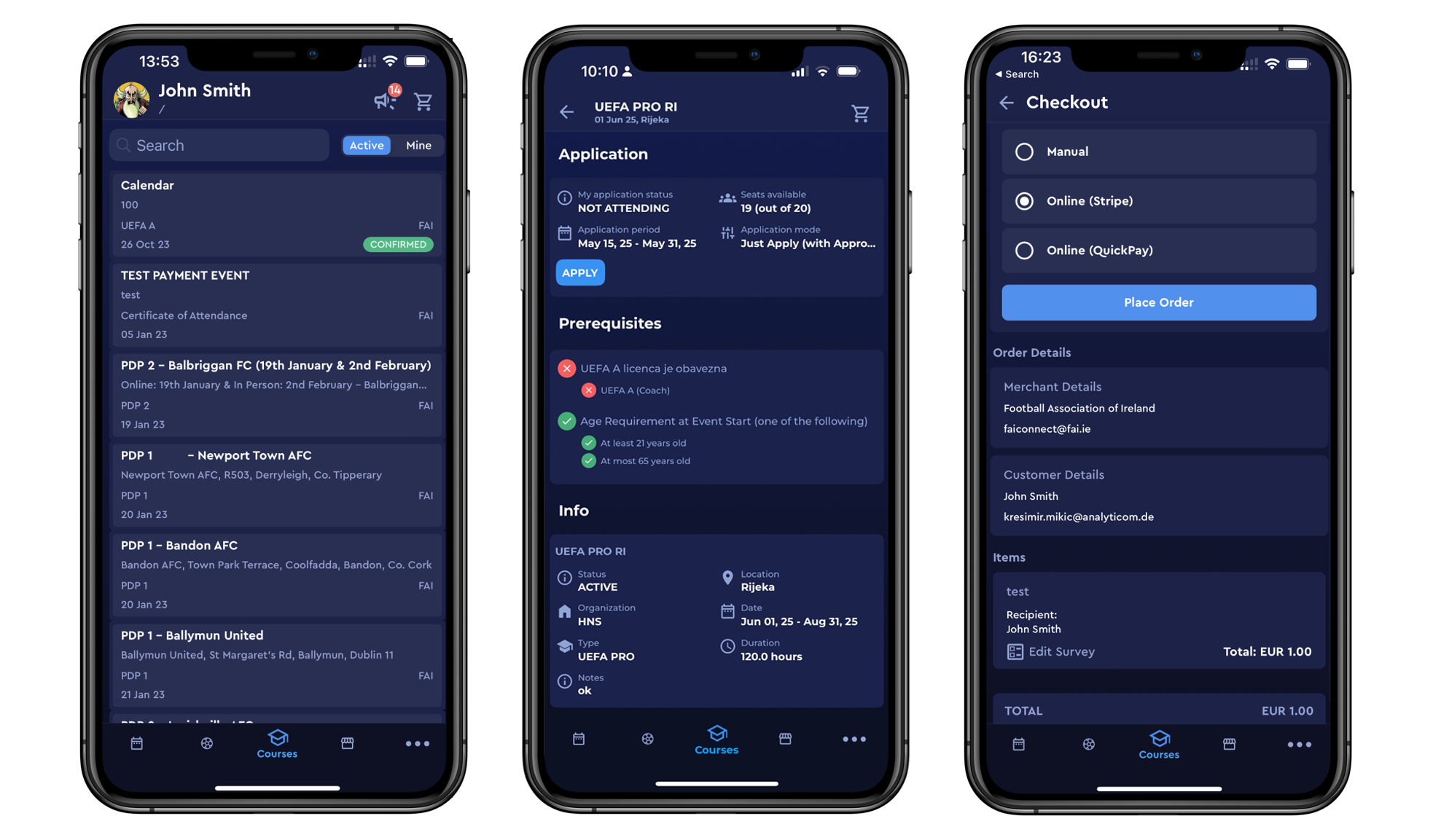
Event Administrators can define eligibility conditions that applicants must meet before they can apply. These may include having a specific license or title (e.g., “A License” required for a “PRO” seminar) or meeting age restrictions (minimum or maximum age). The system automatically validates applicants against these prerequisites, ensuring only qualified individuals can register.
1.8. Application Survey Engine
The Application Survey Engine allows Event Administrators to create fully customized application forms for event applicants. Surveys can include various field types such as text, number, date, time, list of values, yes/no options, file uploads, and range-based questions. Administrators can also define minimum/maximum values, precision, and validation rules, as well as group questions into logical sections.
This flexible configuration is managed at the level of each individual event, ensuring that application surveys can be precisely adapted to the needs of the event.
1.9. Survey Templates
To simplify and standardize data collection across multiple events, administrators can create and reuse Application Survey Templates. Templates allow you to define recurring sets of questions and question groups once, and then apply them to any future events. This ensures consistency and saves significant administrative time.
1.10. Integration of Various Item Types
The event can be integrated into only one or several Item Types, e.g., Event Participation fee and License fee. Usually, the participation fee covers the issuance of the license. In other scenarios, the Participation fee is paid by all participants, and the License fee is then paid only by participants who have successfully completed the event and are eligible for the license issuance. In the case of Payment module implementation, these payments can be executed electronically as a step in the application workflow.
1.11. COMET DATA & Event API Integration
The COMET DATA environment includes a dedicated Events section providing detailed and customizable reports for Event Administrators and Managers. Reports are tailored with role-based access controls and include all COMET DATA capabilities such as API integration, data exports, and visual analytics. This functionality ensures full transparency, enabling real-time insight into event applications, participant progress, and licensing outcomes.
Complementing this, the Event API Integration feature offers a robust set of API Endpoints and Webhooks for seamless synchronization with third-party systems, such as e-learning platforms. Through this integration, external systems can automatically receive updates on new participant confirmations and submit Pass/Fail results back to COMET, ensuring smooth data exchange and interoperability across platforms.
2. EVENT PARTICIPANTS
2.1. Self-Registration to MyCOMET
Users who do not yet have login credentials can easily create an account through the simple self-registration process. During registration, the COMET system employs a powerful SOLR-based duplicate recognition engine, which detects potential duplicate profiles by performing both exact and phonetic (sound-based) name matching. This ensures data accuracy and prevents redundant user accounts.
After registering and verifying their email address, users can browse all available events and submit their applications directly through MyCOMET. Before applying, they are required to complete their personal profiles with all mandatory information.
Within MyCOMET, users can monitor the status of their active and past applications, view a full history of completed events, and—if the Payments module is implemented—access a record of all payments made for events and licenses. The My Profile menu displays all COMET information relevant to event participation and management.
2.2. Event Application
The events menu is designed as the searchable “Events Store”, i.e. the events can be searched/ filtered by the name or license. After selecting a specific event and reviewing details, the participant applies to the event and usually completes an application survey, including entering required data and uploading documents, as requested by the event organizer. Depending on the pre-selectable Workflow the applicant can automatically be admitted to the event, or its participation can be subject to application review and approval by the event organizer.
2.3. Mobile App Access
All participant-related features of COMET are available across three platforms — iOS App, Android App, and Web. Participants can apply for events, view application statuses, and access their Event Accreditations (Course Diplomas) directly from their mobile devices.
2.4. My Orders
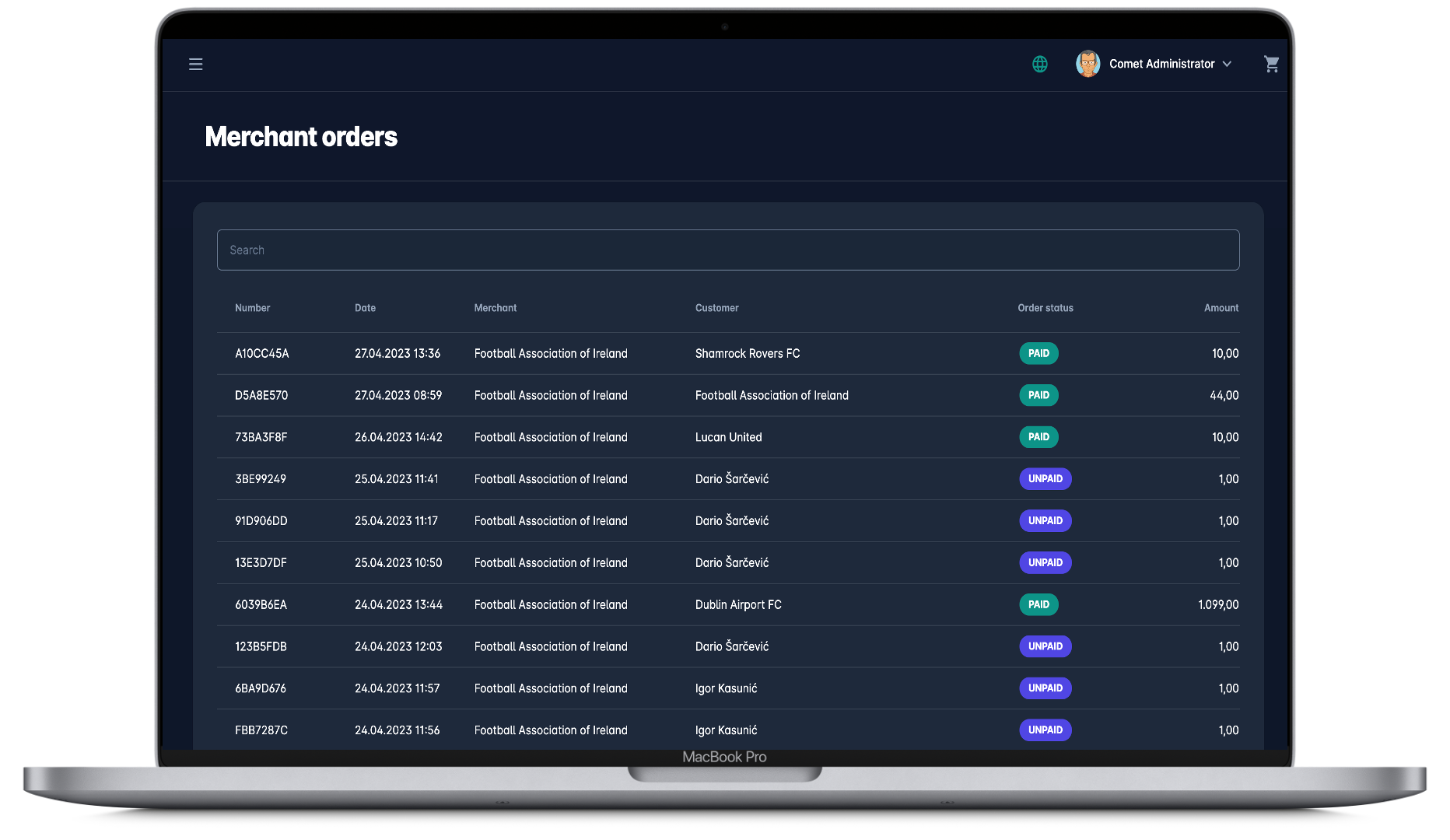
Event applicants/participants manage their payments in the App. My Orders menu displays the list of all orders, i.e., purchased event items, indicating payment status. A click on the order from the list redirects you to the Order details page. On this page, you can check all the details of the order, purchased item, and payment details.
2.5. Attendance Tracking
Administrators can track participant attendance during events, marking who was actually present. This information can then be used to issue official Certificates of Attendance. The feature ensures accurate participation records and supports compliance with licensing or educational standards.
2.6. Outcome (Pass/Fail) of the Event
When the event is completed, the Administrator enters each participant’s outcome (pass/fail). The license is issued only to those participants who have successfully completed the event. The license will be visible on the person’s profile in COMET
3. LICENSES
3.1. Automatically Issued Licenses
License is granted after the participant has successfully passed a specific event. For example, if a coach has successfully completed the UEFA A Seminar, upon successful completion, that Coach will automatically receive the UEFA A Coaching license for a certain pre-defined period of validity. That license will be visible on the person’s coach profile.

3.2. License Expiry
On the final day of the validity of a certain license, the system will automatically deactivate that license. Furthermore, reminders can be set up to inform license holders that their license is about to expire.
3.3. Extension Requirements
The system supports automatic license extensions based on the participant’s accumulated credits from certain event types. For instance, UEFA licenses can be configured to renew automatically if a coach collects a specified number of CPD (Continuous Professional Development) hours within a set timeframe (e.g., 15 points in 3 years).
This functionality is fully configurable in the Admin App.
3.4. License Print Version
The issued license can be printed out of the system in the standard PVC (Credit Card) format in accordance with a predefined license template. Different formats can be used, e.g., one template for UEFA licenses and another template for national licenses.
3.5. Event Diploma Print Version
In addition to licenses, event diplomas or certificates of attendance can be printed automatically from the system. There is also a useful function of printing all diplomas in bulk. Beyond printing, diplomas can also be distributed to event participants in electronic/PDF format. Diploma printing is enabled for participants in the status Passed.
3.6. Certificate of Attendance
Tracking participant attendance is often needed to manage certain events. On Events with a Track Attendance Feature, administrators can track the attendance status and generate or print the Certificate of Attendance.
3.7. Assessments
Event Administrators can define and manage Participant Assessments to evaluate performance or progress across various dimensions, such as theoretical and practical exams. Assessments can include diverse field types (text, number, date, list of values, file upload, etc.), grouped into sections with validation rules. For example, Event Administrators may need to track specific fitness goals, body measurements, and academic achievements of the participants. All of these scenarios can be configured by the Event Admin via the Assessments module independently for each course or event.